In the ChatGPT plugin directory
Ask ChatGPT for a mind map.
Get a real one.
Install the Atlas Red plugin and the same request builds a real map in your workspace — editable, exportable, still there tomorrow.
Use it free — no card, no trial →
- Free forever — not a trial
- Up to 10 maps, kept for good
- Every export included
Free has no end date — upgrade only if you outgrow 10 maps. Works in ChatGPT on the web and in the mobile apps.
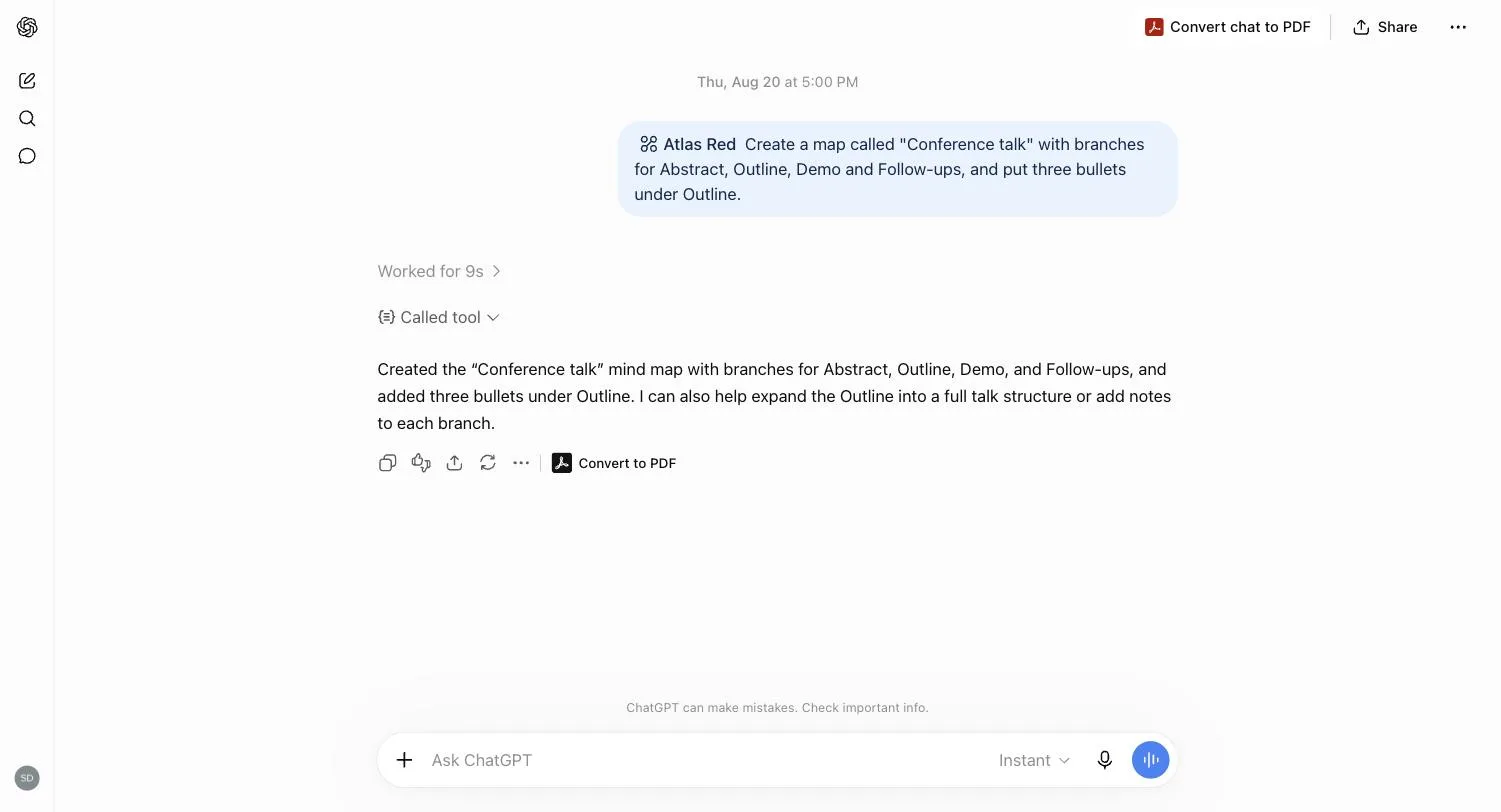
Install it once. Open Atlas Red in the plugin directory, choose Install, sign in. Nothing to download, no key to paste.
Say @Atlas Red Mind Map, then ask. A map from this conversation, a project broken into branches, a reading list restructured — in plain language.
Keep working on the real map. It's in your workspace: edit it by hand, open it on your phone tomorrow, share a link, export it anywhere.
Questions people ask
Can ChatGPT make a mind map?
On its own, ChatGPT does one of two things: an indented outline — fine to read once, gone when you scroll past it, nothing to drag or fold — or a generated image of a mind map, labels misspelt, branches you can't move, no export but a screenshot. With the Atlas Red plugin installed, the same request builds a real map in your Atlas Red workspace: every topic is a topic — edit it, drag it, fold it, colour the map by a field; it outlives the chat; and it exports to Markdown, OPML, PNG, PDF, slides and more — on the Free edition too.
How do I connect Atlas Red to ChatGPT?
Open Atlas Red in ChatGPT's plugin directory — or Plugins in ChatGPT's sidebar, search "Atlas Red" — choose Install plugin, then Sign in with Atlas Red. A Free account works and needs no credit card; it works in ChatGPT on the web and in the mobile apps. From then on, start a request with @Atlas Red Mind Map (type @Atlas and pick it from the list) so ChatGPT hands it to the plugin every time, and ask in plain language. The map appears in your workspace; the listing's button then reads Try in chat for the next pass. Step-by-step, for ChatGPT, Claude and others: the connection steps.
What should I ask for?
@Atlas Red Mind Map turn this conversation into a mind map called "Thesis plan".
@Atlas Red Mind Map make a mind map of the pros and cons we just discussed, one branch per option.
@Atlas Red Mind Map read my "Product roadmap" map and add a branch for everything we haven't scheduled.
@Atlas Red Mind Map restructure this map so the three quarters are the top-level branches.
@Atlas Red Mind Map set the status of every research topic we've finished to "Done".
@Atlas Red Mind Map export the "Launch" map as Markdown so I can paste it into the doc.
The @Atlas Red Mind Map at the front is the reliable trigger — without it ChatGPT may answer with a plain-text outline instead of calling the plugin. Behind those requests ChatGPT can create and rename maps, add topics and whole subtrees, update and delete them, draw and label cross-links between branches, fill in typed fields — a status, a number, a date — import an outline, export to any supported format, and undo and redo, so a change you didn't want is one step back rather than a lost afternoon.
Does it cost anything to use Atlas Red with ChatGPT?
No — nothing, on every edition. The plugin and the MCP server behind it are free and never metered: ChatGPT does the thinking on your own plan, Atlas Red only stores and draws the map. It works on the Free edition (no credit card, no end date); Pro lifts limits, it doesn't gate this. Only photo and PDF import inside the Atlas Red app ever cost anything, because those need a model to read them.
Can I turn an existing ChatGPT conversation into a mind map?
Yes. With the Atlas Red plugin installed, ask ChatGPT to turn the conversation into a mind map and it builds one from what you discussed. Without the plugin, ask for a Markdown outline, paste it into Atlas Red, and it imports directly — free, no AI credits.
Don't want to install anything?
You can still get a real map out of ChatGPT: ask for the map as a Markdown outline — nested bullets or headings — copy it, and paste it into Atlas Red. The Markdown importer is direct — free, instant, no AI credits — and it round-trips, so the map you edit exports back to Markdown you can paste into ChatGPT for the next round. The connected route is better for the back-and-forth — restructuring, filling in fields, "add what we missed" — because ChatGPT edits the map in place instead of producing a fresh outline you'd have to re-import. For a one-off "turn this into a map", paste is plenty.
I use Claude, not ChatGPT. Does this work too?
Yes. The ChatGPT plugin is a front door to Atlas Red's MCP server, a standard remote endpoint. Claude and any other MCP-capable client connect to the same server and get the same operations.